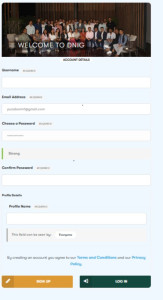
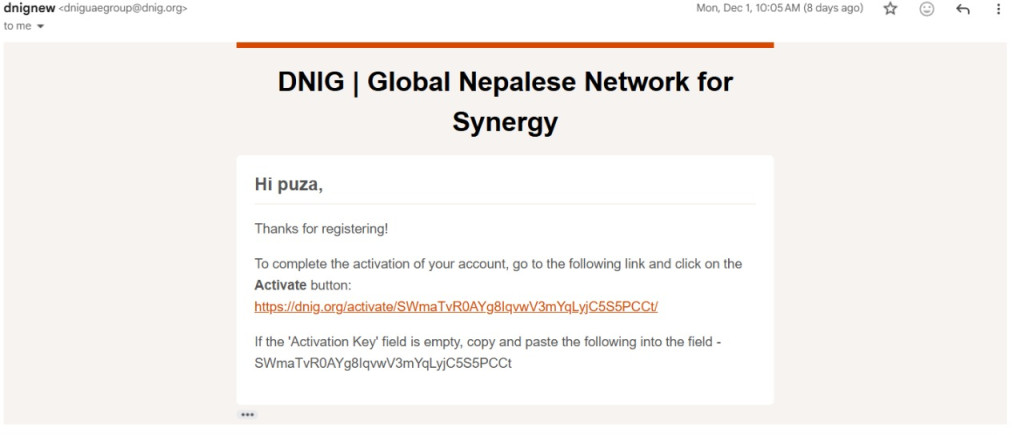
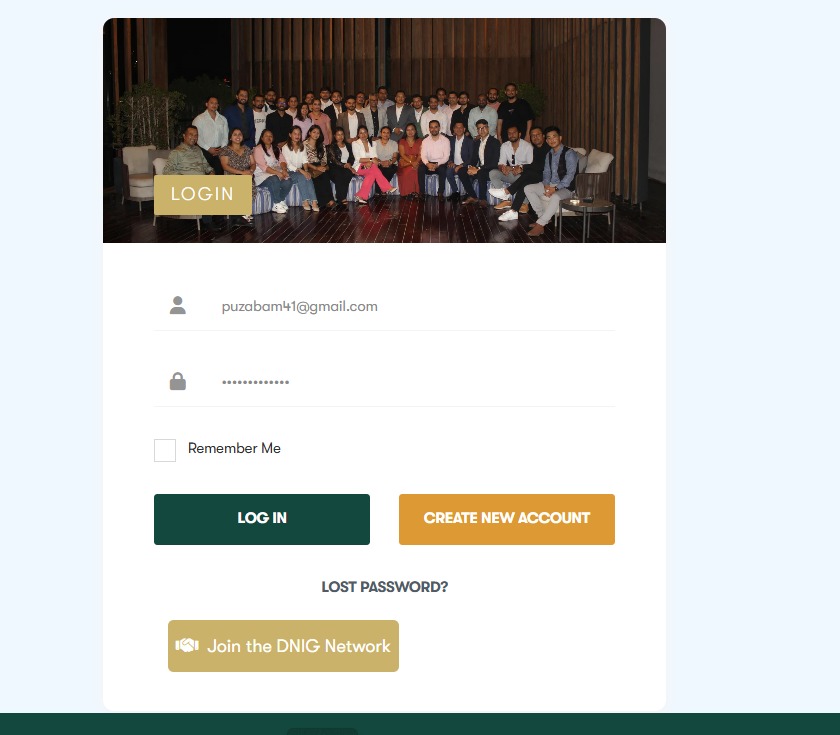
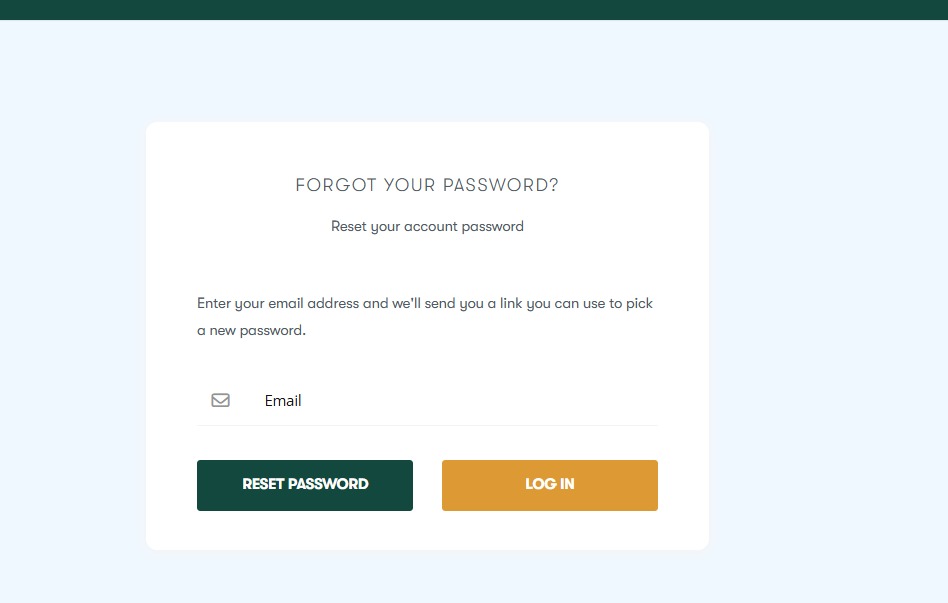
Signup Guidelines User Guide: How to Sign Up, Log In & Activate Your Account Welcome!Follow these simple steps to create and activate your account on our website. ✅ 1. How to Sign Up (Create a New Account) Go to the Registration Page👉 Click on: Join the DNIG Network (usually found in the menu)or visit:https://dnig.org/register Fill in the required information:– Full Name– Username– Email Address– Password– Any other profile details Check the box agreeing to our Terms & Conditions (if shown). Click Sign Up. You will receive an Activation Email.(If you don’t see it, please check the Spam/Junk folder.) 🔐 2. How to Activate Your Account After signing up, you must activate your account before logging in. Open the email with the subject:“Activate Your Account” Click the activation link inside the email.It will take you to the activation page on our site. You will see a message:✔ Your account is now active!You can now log in. If the activation email doesn’t arrive: Check the Spam folder Or contact our support team 🔑 3. How to Log In Go to the Login Page👉 Click on: Login (in the menu)or visit:/login Enter your: Username or Email Password Click Log In. You will be redirected to your Profile Dashboard. ♻ 4. Forgot Your Password? Go to the login page. Click Forgot Password? Enter your email address. You will receive an email to reset your password. 👤 5. After Logging In Once logged in, you can: Edit your profile Change profile picture & cover photo Join groups & events Post updates View your activities Send messages Access your dashboard